colvars <- ptr_define_placeholder_consumer(
  keyword = "colvars",

  build_ui = function(node, cols = character(), data = NULL,
                      label = NULL, selected = character(0), ...) {
    shiny::selectInput(
      node$id, label = label %||% "Columns",
      choices  = cols,
      selected = intersect(selected, cols),  # keep only still-valid picks
      multiple = TRUE
    )
  },

  resolve_expr = function(value, node, ...) {
    if (length(value) == 0L) return(NULL)
    rlang::call2("c", !!!as.list(value))   # c(col1, col2, ...)
  },

  parse_positional_arg = ptr_arg_symbol_or_string(),
  ui_text_defaults = list(label = "Columns for {param}")
)

ptr_app(
  mtcars |>
    dplyr::select(colvars) |>
    ggplot(aes(x = ppVar, y = ppVar)) + geom_point()
)7 Consumer and Source Placeholders
A value placeholder (Chapter 6) is self-contained: widget in, code fragment out. The other two roles interact with the data flowing through the formula — a consumer reads the upstream data’s columns, a source produces the data itself. Both use the same constructor surface you already know; this chapter covers only what changes. (The full argument set common to all three constructors is Chapter 8.)
7.1 A consumer placeholder — the delta
build_ui gains two arguments: cols and data. The injector fills cols with the column names of the data flowing into this point of the pipeline and data with that frame, re-running build_ui whenever the upstream changes:
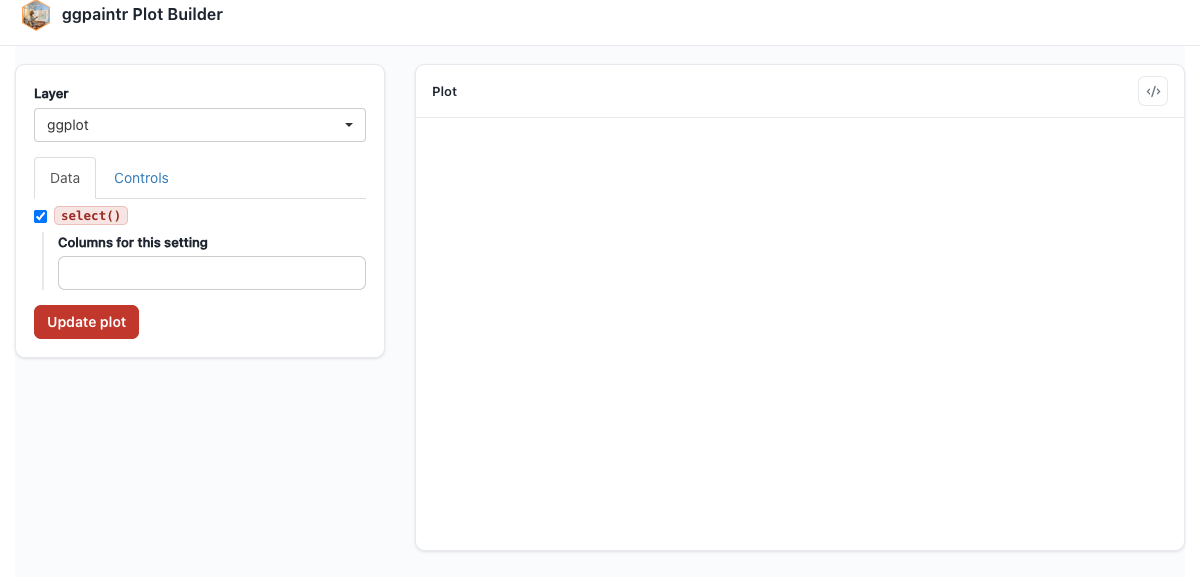
colvars as a multi-column picker inside a dplyr::select() pipeline stage; the downstream ppVar pickers re-resolve against whatever it selects.(The example also opts into formula seeding via parse_positional_arg and sets its copy via ui_text_defaults — both part of the shared surface documented in Chapter 8.)
Validation becomes data-aware. The optional validate_session_input hook (Chapter 8) receives a ctx whose ctx$data holds the upstream data frame, so a validator can reject a non-numeric column, range-check chosen values, and so on. (The gallery’s ppVars uses ctx$upstream_cols the same way: Chapter 20.)
7.2 A source placeholder — the delta
A source produces the data, so it sits at the head of a pipeline. Three things differ:
resolve_datareplacesresolve_expras the required producer:function(value, node, ...)must return a data frame.resolve_exprbecomes optional, defaulting to the symbol that names the produced frame in generated code — override it only for different generated code. The two can disagree on purpose: showread.csv("...")in the code while reading uploaded bytes at runtime.- The plain-R meaning defaults to an abort guard, not a pass-through — a source has no sensible plain-R meaning until you give it one (see
embellish_evalin Chapter 8). shortcut = TRUEadds a framework-owned companion text box (atnode$shortcut_id) into which the user types the name of a data frame to load — the “or type a dataset name” box you saw onppUpload. The framework owns the box and the lookup: it resolves the typed name itself, viaget(name, envir, inherits = TRUE)against theenvirpassed toptr_app()/ptr_server(). Because the framework owns that box, yourbuild_uimust render onlynode$id— or nothing at all.
This ppDataset lets the user type the name of any data frame in scope. There is less to write than you might expect, because the shortcut machinery is not yours to reimplement: the typed name flows into resolve_expr as value (the default rlang::sym(value) already splices it into the generated code as a bare symbol), while resolve_data — still required, as the role’s producer — receives the primary widget’s value, input[[node$id]], never the typed name (that reaches your hooks through node if you need it). With no primary widget that value is always NULL, so a no-op hook returning NULL (“no data yet”) is the whole job:
ptr_define_placeholder_source(
  keyword  = "ppDataset",
  shortcut = TRUE,

  build_ui = function(node, label = NULL, ...) {
    # Shortcut-only source: the framework's text box is the sole entry
    # point, so build_ui contributes no widget of its own.
    NULL
  },

  resolve_data = function(value, node, ...) {
    # `value` is the primary widget's value -- always NULL here, since
    # build_ui renders nothing. The shortcut lookup is the framework's.
    NULL
  },

  ui_text_defaults = list(label = "Dataset for {param}")
)

ptr_app(
  ppDataset() |> ggplot(aes(x = ppVar("mpg"))) + geom_histogram()
)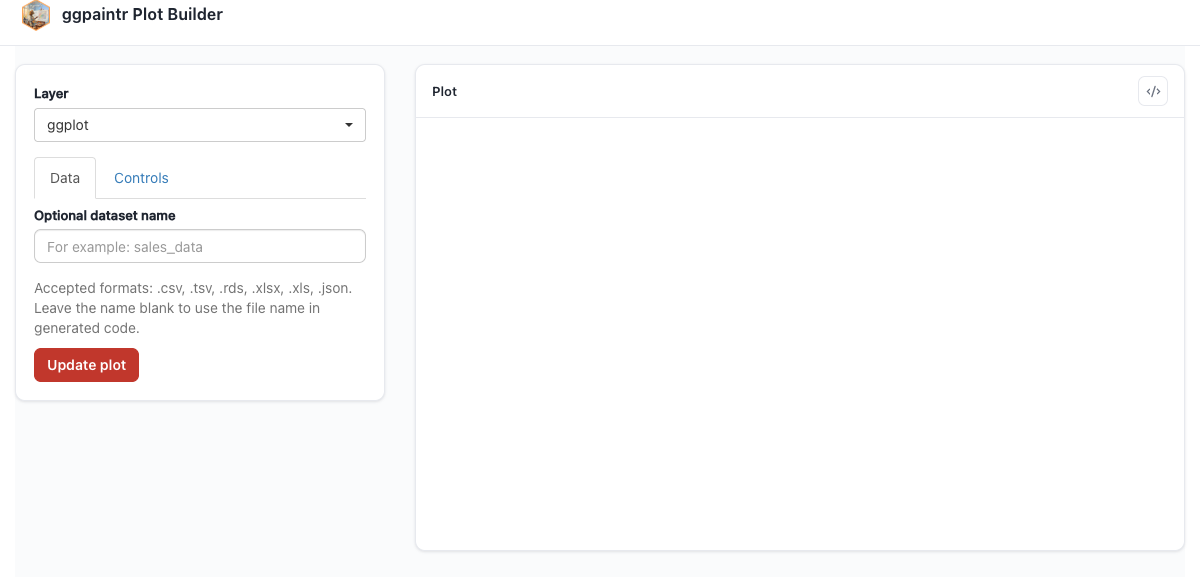
ppDataset() at the pipeline head: type mtcars into the framework’s text box and the downstream pickers light up.A source that owns a real widget (a selectInput of dataset names, say) is the same shape with shortcut = FALSE and a build_ui that renders the picker at node$id — there resolve_data does the real work, turning input[[node$id]] into the frame (the example in ?ptr_define_placeholder_source is exactly this shape).